Open Road
A CarPlay speedometer and drive tracker
Open Road is a drive tracker that works with Apple CarPlay: the driving map and navigation show on your car display, and live GPS speed and top speed show in the iPhone app. Every drive is saved with its route, time, distance and top speed after you park.


On iPhone, 3 days free, then $39.99 per year (US price). On Android, free with optional Pro.
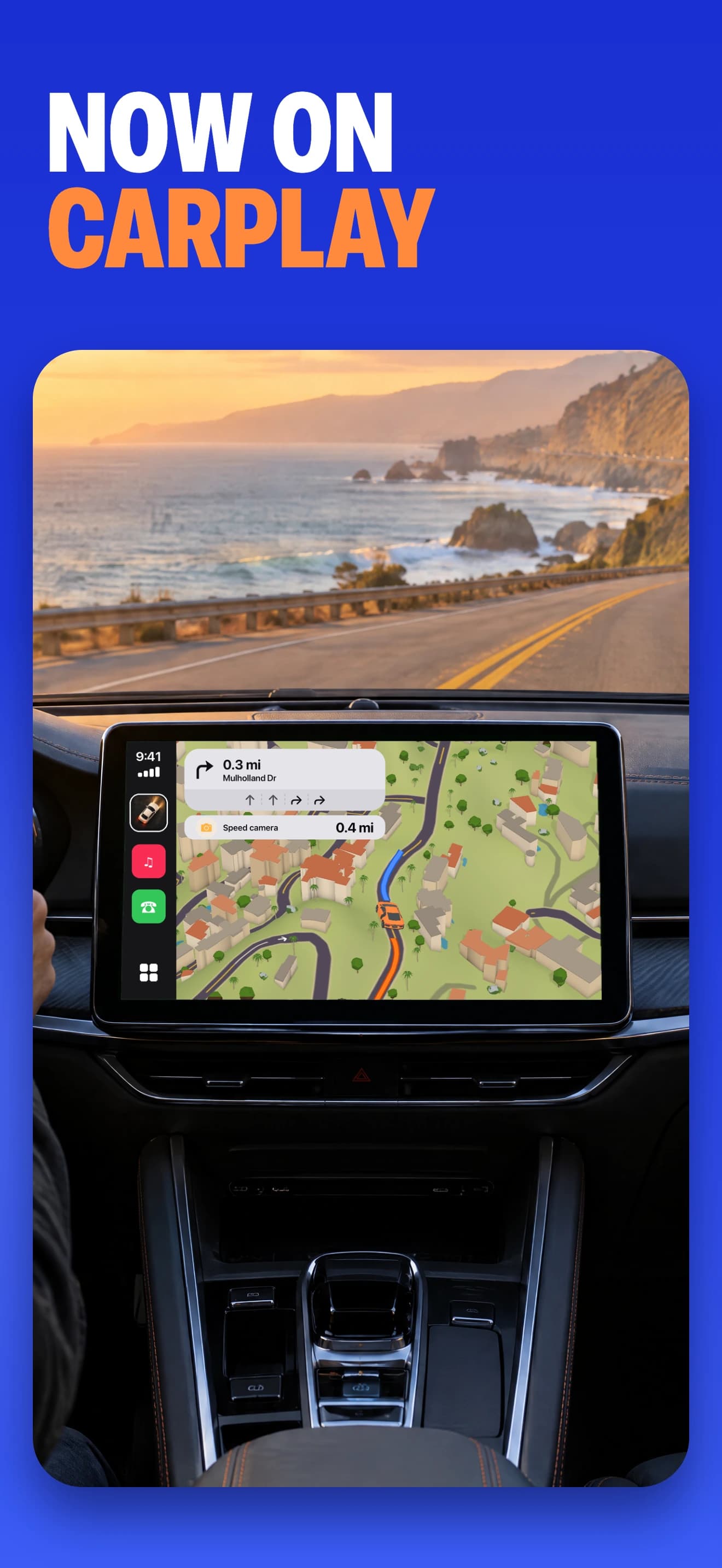
The driving map on your car display
Use Open Road on CarPlay for the map and navigation while your iPhone handles the app. Search for a destination and follow the route on the car display. Set up the app and connect your phone before starting your drive.
Record the drive, review it on your phone
Open Road supports automatic drive recording. Complete the recording and location setup on iPhone first. After you park, open your drive log on the phone to review the route, distance, time and top speed. Your recorded roads also join your map of roads driven.
What you need for CarPlay
- An iPhone with Open Road installed and set up.
- A car or receiver that supports Apple CarPlay.
- The wired or wireless connection supported by your car.
Open Road is also available on Android. This page describes Apple CarPlay with iPhone.
CarPlay speedometer: where to see your speed
Open Road shows live GPS speed in the iPhone app and keeps your top speed with each recorded drive. Open Road does not show speed on the CarPlay screen. CarPlay gives you the driving map and navigation. After you park, open the drive in your drive log to see top speed with the route. Read our guide: how to see your speed on CarPlay.
Driving screen now, friends and history later
CarPlay focuses on the driving map and navigation. Use the phone app after parking to browse your saved drives or manage friends and convoys. For the social side, see driving with friends.
Questions, answered
- Is there a CarPlay app that tracks drives?
- Yes. Open Road supports Apple CarPlay and records drives with their route, time, distance and top speed. Set up recording on your iPhone and review saved drives on the phone after parking.
- Is there a CarPlay speedometer app?
- Open Road shows live GPS speed in the iPhone app and saves top speed with every recorded drive. It does not show speed on the CarPlay screen. On CarPlay it provides the driving map and navigation, and you review top speed on the phone after parking.
- Can I browse my drive history on CarPlay?
- Use the iPhone app to review drive history. The CarPlay experience focuses on the driving map and navigation.
- Does the Android app use CarPlay?
- No. Apple CarPlay connects to an iPhone. Open Road is also available as an Android phone app.
- How much is Open Road?
- Open Road is free to download. On iPhone, 3 days free, then $39.99 per year (US price). On Android, free with optional Pro.
Keep your next drive
Get Open Road for iPhone or Android. On iPhone, 3 days free, then $39.99 per year (US price). On Android, free with optional Pro.